
Queenswell Schools
Online Safety
Welcome to the Pupil Online Safety Web page!
Do you know who to talk to if you need help?
You should talk to a "TA", a trusted adult. You can talk to a TA at home or in school.
Tell a Trusted Adult
Always be careful when you are using the Internet. The Internet can help you to keep in touch with your family and friends, help with your education, and be a fun place to play games, but remember, you need to think about who you are "chatting" to. Keep your online friends to people you know in the real world. Remember, if you feel uncomfortable online, always ask for help. Speak to a "TA", a trusted adult. They will be able to help you.

Childline
Childline will support you, guide you, and help you if you are worried about online safety. Click the link to visit their site or call them directly on 0800 1111.
Safer Internet Day 2026
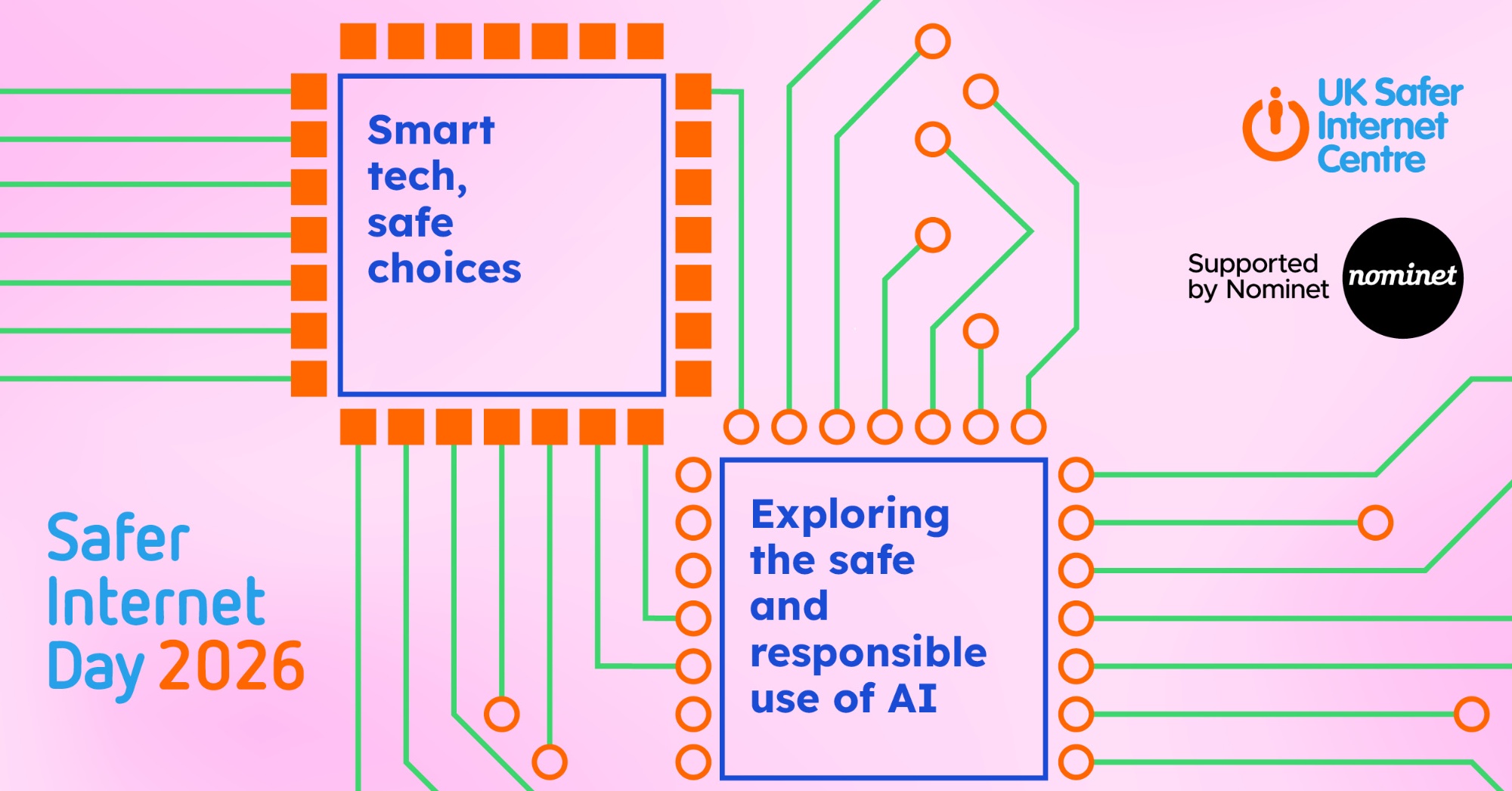
The theme this year is: Smart tech, safe choices – Exploring the safe and responsible use of AI.
Have you noticed how everyone is talking about AI (Artificial Intelligence) lately? From voice assistants that play your favourite songs to apps that help you draw or write, "smart tech" is everywhere! That is why this Safer Internet Day, millions of people across the UK and in 170 other countries are joining together.
This year, our mission is to explore the world of AI, including:
The Good Stuff: How AI can help us learn new things and solve tricky problems.
The Safe Choices: How to spot when something online isn't quite right.
The Responsibility: How to be kind and honest when using smart gadgets.
What is AI, anyway?
AI is when a computer or a machine is "trained" to solve problems or perform tasks that usually need a human brain. It's behind things like:
Recommendations: How YouTube or Netflix knows what show you might like next.
Filters: Those funny ears or hats you can put on your face in photos.
Chatbots: Programs that can answer your questions or help you with homework.
3 Top Tips for Staying Safe with AI
Ask an Adult: If you’re trying out a new AI tool or app, always check with a parent or teacher first.
Check the Facts: AI can sometimes make mistakes or "hallucinate" (make things up!). Always double-check important info with a trusted adult.
Keep it Private: Never tell an AI your real name, where you live, or which school you go to.
Remember: You are the boss of the technology you use! Smart tech is great, but your safe choices are what make the internet a fun place to be.
Safer Internet Day 2026 Top Tips for Young People
Safer Internet Day 2026 Quiz for 7–11 Year Olds
The Queenswell Federation Online Safety Rules
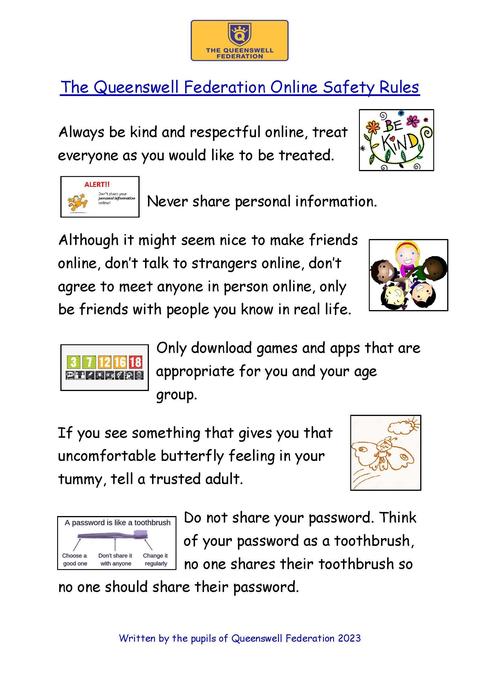
Please remember to use the online safety rules to help keep you, your friends, and family safe when you are online.
Online Safety Activities
Jessie & Friends Age 4 - 7 years
Visit Jessie & Friends online. Collect stars and certificates by answering questions to help characters Jessie, Tia, and Mo to 'Tell A Grown Up' when something happens online that is worrying, scary, or upsetting.
Band Runner Game Age 8 - 10 years
Band Runner is a fun game that puts children’s knowledge about online safety to the test by asking them to help characters make safe choices.
Band Runner Films Age 8 - 10 years
Watch Sam, Ellie, and Alfie continue their adventures in the Play Like Share films. The films will help you learn more about staying safe online.
Do you know how to report an online safety issue?
If you or someone you know needs help with an online safety problem, speak to a “TA”, a trusted adult, who will be able to help you.
You can report online gaming issues directly within games by pressing the report button – get your trusted adult to help you.
CEOP
CEOP is here to keep children safe from sexual abuse and grooming online. You can make a report directly to the CEOP Safety Centre by clicking on the Click CEOP button if something has happened online which has made you feel unsafe, scared, or worried. This might be from someone you know in real life, or someone you have only ever met online. CEOP takes all reports seriously, and we will do everything we can to keep you safe.
As well as making a report to the CEOP Safety Centre, the CEOP Education website has information and advice to help you if something has happened to you online.